This guide is written in two parts. English first, Korean below. 이 글은 두 파트로 되어 있습니다. 영문이 먼저, 한국어가 아래에 있습니다.
PART 1 — ENGLISH
Every guide compares these three on price and speed. That is the wrong axis.
The question that actually decides it is: do you need a Korean phone number, or just data?
Answer that and the choice makes itself — and if the answer is “just data,” you also sidestep an identity verification wall that catches a lot of visitors.
A note on sources: SIM regulations in Korea changed during 2026 and most of the available documentation comes from providers rather than the government. Where a rule is reported rather than officially confirmed, it is marked [reported].
1. The question
Do you need to receive Korean SMS?
You need a Korean number if you want to:
- Verify Korean apps that require phone-based identity confirmation
- Take restaurant or accommodation bookings by phone
- Be reachable on a local number
You only need data if you want to:
- Use maps, translation and messaging apps
- Look things up, order rideshares, browse
- Use WhatsApp, LINE, iMessage or KakaoTalk you already have
Most short-trip visitors only need data. And that matters more in 2026 than it used to.
2. Why “data only” avoids a problem
Korea tightened SIM identity rules during 2026 after large-scale fraud cases.
What changed [reported]:
- One line per passport. A single passport number can no longer verify multiple lines
- Passport verification is mandatory for voice/text services
- Facial recognition through the PASS app is being phased in during activation
- Activation must be completed within 48 hours of issuance
- Keep a copy of your registration confirmation in case of inspection
Here is the useful part: data-only eSIMs — the roaming type, with no Korean number — are reported to sit outside the mandatory facial recognition requirement. No Korean number means no identity record to build.
So if you only need data, the “just get an eSIM” advice is not only simpler, it also avoids the verification process entirely.
If you do need a Korean number, expect the full verification, and read our guide to the identity verification wall before you assume apps will work afterwards.
3. The three options
Data-only eSIM — the default for solo travellers
Buy and install before you fly, activate on landing. No physical card, nothing to lose, nothing to swap.
Choose it if you are travelling alone or as a couple, need data, and your phone supports eSIM. Most phones from the last few years do — but check before buying, because a non-eSIM phone makes this moot.
How to check, in thirty seconds. What you are looking for is an EID — a serial number every eSIM chip carries. If your phone shows one, it supports eSIM. If it does not, it does not.
| Phone | Where to look |
|---|---|
| iPhone | Settings → General → About → scroll to Digital SIM, look for EID |
| Android | Settings → About phone → SIM status → EID (or eSIM ID) |
| Samsung | Settings → Connections → SIM manager — an Add eSIM option means it is supported |
You may have seen the shortcut of dialling ***#06#. It is worth knowing what it does and does not tell you: it reliably shows your IMEI, and on some phones an EID appears beside it — but on many, including a lot of Samsung handsets, it shows only the IMEI and a serial number.**
Seeing no EID there does not mean your phone lacks eSIM. It usually means the code does not surface it on your model. Use the settings path above before concluding anything.
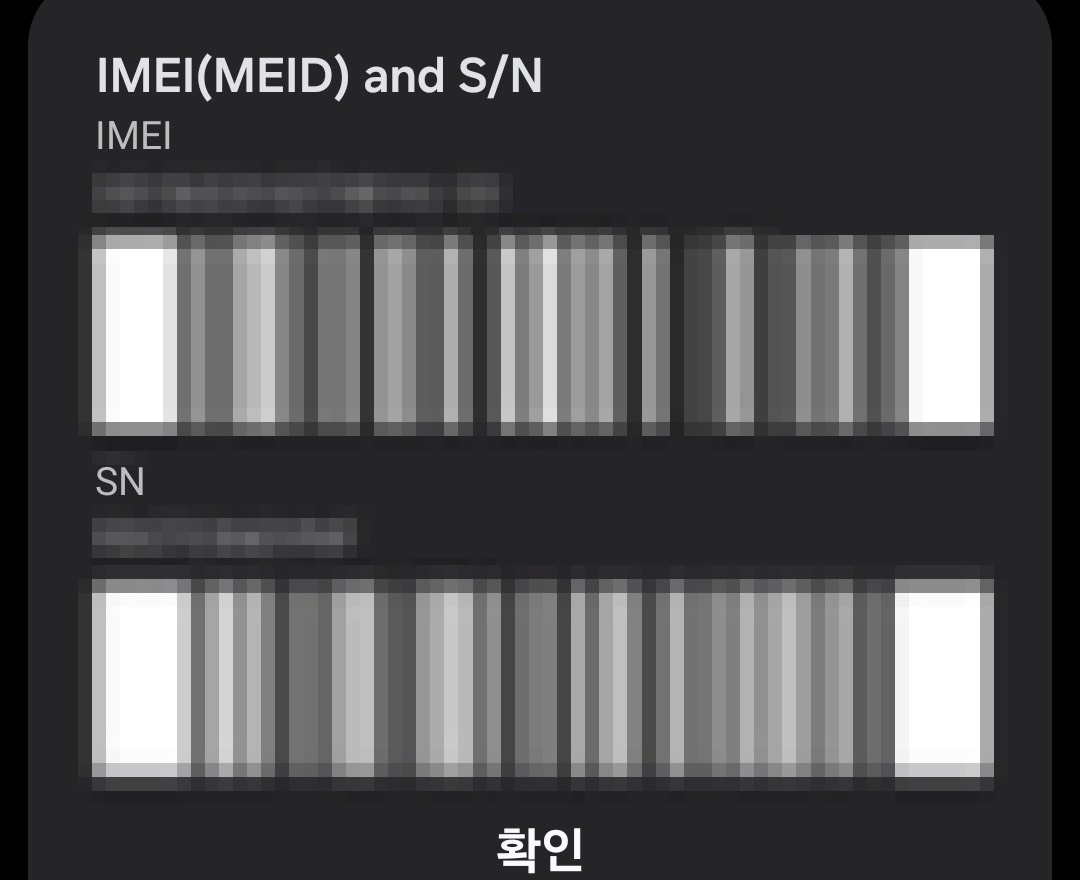
One more caution: that screen displays your IMEI and serial number, which identify your device. Do not post it publicly or send it to a seller who asks for it.
As a rough guide, iPhone XS and XR (2018) onwards support eSIM. Android is less uniform — a recent flagship almost certainly does, a mid-range or region-specific model may not, which is exactly why it is worth the thirty seconds.
Limitation: no Korean number, so Korean apps requiring SMS verification remain closed to you.
Physical SIM — when you need the number
A card you insert, usually with a Korean number attached.
Choose it if you need to receive Korean SMS, are staying longer, or your phone does not support eSIM.
Expect passport verification at purchase, the one-line-per-passport limit, and the 48-hour activation window. Also note: a tourist SIM often still will not pass app identity verification, because of how the subscriber record is registered — again, see the verification guide.
Pocket WiFi — when there are several of you
A rental router, roughly ₩5,000–7,000 per day, connecting about five devices.
Choose it if you are a family or group. Split four ways that is under ₩2,000 per person per day, which beats four separate eSIMs.
The trade-offs are real: you carry a second device, you charge it nightly, and everyone has to stay near whoever is holding it. Split up for the afternoon and someone is offline.
4. Choosing
| Your trip | Take |
|---|---|
| Solo or couple, data only | Data-only eSIM |
| Need Korean SMS for bookings or apps | Physical SIM with a number |
| Family or group of 3+ | Pocket WiFi — cheapest per person |
| Phone does not support eSIM | Physical SIM |
| Long stay, want a real Korean number | Physical SIM, and plan a carrier visit |
| Splitting up during the day | Not pocket WiFi — one device, one location |
5. Before you fly
- Ask first: Korean number, or just data? Everything follows from that
- Check your phone supports eSIM before buying one — look for an EID in Settings.
*#06#often shows only the IMEI, which proves nothing either way - Data-only eSIM avoids the identity verification process entirely [reported]
- One line per passport — you cannot activate several on one passport
- Activate within 48 hours of issuance
- Keep your registration confirmation, digital or printed
- Pocket WiFi is cheapest for groups but ties you together — and needs nightly charging
- A tourist SIM with a number still may not unlock Korean apps. See the verification guide
PART 2 — 한국어
거의 모든 가이드가 이 셋을 가격과 속도로 비교합니다. 축이 잘못됐습니다.
실제로 답을 가르는 질문은 이것입니다. 한국 전화번호가 필요한가, 데이터만 필요한가?
여기에 답하면 선택은 저절로 정해집니다. 그리고 답이 “데이터만”이라면, 많은 방문자가 걸리는 본인인증 장벽도 함께 비켜갑니다.
출처에 대해: 2026년 중 한국의 유심 관련 규정이 바뀌었고, 공개된 설명은 대부분 정부가 아니라 사업자 쪽에서 나옵니다. 공식 확인이 안 된 항목은 [보고됨]으로 표시했습니다.
1. 그 질문
한국 SMS를 받아야 하나요?
한국 번호가 필요한 경우
- 전화번호 기반 본인인증이 필요한 한국 앱을 쓰려는 경우
- 식당·숙소 예약을 전화로 받아야 하는 경우
- 현지 번호로 연락받아야 하는 경우
데이터만 필요한 경우
- 지도, 번역, 메신저 사용
- 검색, 차량 호출, 웹 이용
- 이미 쓰던 왓츠앱·라인·아이메시지·카카오톡 사용
짧게 다녀가는 방문자 대부분은 데이터만 있으면 됩니다. 그리고 2026년에는 이 구분이 전보다 더 중요해졌습니다.
2. “데이터 전용”이 문제를 피하는 이유
대규모 명의도용 사건 이후 2026년 중 한국의 유심 본인확인 규정이 강화됐습니다.
바뀐 내용 [보고됨]
- 여권 1개당 1회선. 같은 여권번호로 여러 회선을 개통할 수 없습니다
- 음성·문자 서비스는 여권 확인이 필수입니다
- 개통 과정에 PASS 앱 얼굴인증이 단계적으로 도입되고 있습니다
- 발급 후 48시간 이내에 개통을 마쳐야 합니다
- 확인 요청에 대비해 등록 확인서를 보관하도록 안내됩니다
여기서 유용한 지점이 있습니다. 한국 번호가 없는 로밍형 데이터 전용 eSIM은 의무 얼굴인증 대상에서 빠져 있다고 보고됩니다. 한국 번호가 없으니 만들 신원 기록도 없기 때문입니다.
즉 데이터만 필요하다면 “그냥 eSIM 쓰세요”라는 조언은 간편할 뿐 아니라 인증 절차 자체를 건너뛰는 선택이기도 합니다.
한국 번호가 필요하다면 전체 확인 절차를 예상하시고, 그 뒤에 앱이 당연히 될 거라 생각하기 전에 본인인증 장벽 안내를 먼저 읽어보세요.
3. 세 가지 선택지
데이터 전용 eSIM — 1인 여행의 기본값
출국 전에 구입해 설치하고 도착해서 개통합니다. 실물 카드가 없어 잃어버릴 것도, 갈아 끼울 것도 없습니다.
이런 경우 선택하세요: 혼자나 둘이 여행하고, 데이터만 필요하고, 폰이 eSIM을 지원할 때. 최근 몇 년 내 기기는 대부분 지원하지만 구입 전에 확인하세요. 지원하지 않는 폰이면 이 선택지 자체가 무의미해집니다.
확인은 30초면 됩니다. 찾아야 할 것은 EID입니다. eSIM 칩마다 붙어 있는 일련번호로, 이게 보이면 지원하는 것이고 없으면 안 되는 것입니다.
| 기기 | 확인 경로 |
|---|---|
| 아이폰 | 설정 → 일반 → 정보 → 아래로 내려 디지털 SIM 항목의 EID |
| 안드로이드 | 설정 → 휴대전화 정보 → SIM 상태 → EID (또는 eSIM ID) |
| 삼성 갤럭시 | 설정 → 연결 → SIM 관리자 — eSIM 추가 항목이 있으면 지원 |
전화 앱에서 ***#06#을 누르는 방법을 본 적이 있을 겁니다. 무엇을 알려주고 무엇을 안 알려주는지 알아둘 만합니다. IMEI는 확실히 뜨고 일부 기기는 EID가 함께 나오지만, 삼성 기기를 포함해 상당수는 IMEI와 일련번호만 표시됩니다.**
거기에 EID가 없다고 해서 eSIM 미지원이라는 뜻은 아닙니다. 그 기종에서 이 코드가 EID를 안 보여주는 경우가 대부분입니다. 결론 내리기 전에 위의 설정 경로로 확인하세요.
한 가지 주의. 그 화면에는 기기를 식별하는 IMEI와 일련번호가 표시됩니다. 공개된 곳에 올리거나 요구하는 판매자에게 보내지 마세요.
대략적인 기준으로 아이폰은 XS·XR(2018) 이후 지원합니다. 안드로이드는 편차가 큽니다. 최근 플래그십은 거의 되지만 중급기나 특정 지역 모델은 안 되는 경우가 있어서, 30초를 들일 값어치가 있습니다.
한계: 한국 번호가 없어서 SMS 인증이 필요한 한국 앱은 여전히 막힙니다.
실물 유심 — 번호가 필요할 때
끼워 넣는 카드이고 대개 한국 번호가 붙습니다.
이런 경우 선택하세요: 한국 SMS를 받아야 하거나, 체류가 길거나, 폰이 eSIM을 지원하지 않을 때.
예상할 것: 구입 시 여권 확인, 여권당 1회선 제한, 48시간 개통 기한. 그리고 한 가지 더 — 번호가 있는 관광용 유심이라도 가입자 기록 등록 방식 때문에 앱 본인인증은 여전히 통과하지 못하는 경우가 많습니다. 본인인증 안내를 참고하세요.
포켓와이파이 — 여럿이 다닐 때
대여용 라우터이고 하루 5,000~7,000원가량, 기기 다섯 대쯤 연결됩니다.
이런 경우 선택하세요: 가족이나 단체. 넷이 나누면 1인당 하루 2,000원 아래라 eSIM 네 개보다 쌉니다.
대가도 분명합니다: 기기를 하나 더 들고 다녀야 하고, 매일 밤 충전해야 하고, 들고 있는 사람 곁을 벗어나면 안 됩니다. 오후에 따로 다니면 누군가는 인터넷이 끊깁니다.
4. 고르기
| 여행 형태 | 선택 |
|---|---|
| 혼자·둘, 데이터만 | 데이터 전용 eSIM |
| 예약이나 앱 때문에 한국 SMS 필요 | 번호 있는 실물 유심 |
| 3인 이상 가족·단체 | 포켓와이파이 — 1인당 가장 저렴 |
| 폰이 eSIM 미지원 | 실물 유심 |
| 장기 체류, 진짜 한국 번호 필요 | 실물 유심 + 통신사 방문 계획 |
| 낮에 따로 다닐 예정 | 포켓와이파이는 부적합 — 기기 하나, 위치 하나 |
5. 출국 전에
- 먼저 물으세요. 한국 번호인가, 데이터만인가? 나머지는 여기서 갈립니다
- eSIM을 사기 전에 폰이 지원하는지 확인하세요 — 설정에서 EID를 찾으세요.
*#06#은 IMEI만 뜨는 경우가 많아 판단 근거가 안 됩니다 - 데이터 전용 eSIM은 본인확인 절차를 통째로 비켜갑니다 [보고됨]
- 여권 1개당 1회선 — 한 여권으로 여러 개를 열 수 없습니다
- 발급 후 48시간 이내 개통
- 등록 확인서를 보관하세요 (디지털이든 인쇄본이든)
- 포켓와이파이는 단체에 가장 싸지만 서로 묶이고, 매일 충전이 필요합니다
- 번호가 있는 관광용 유심이라도 한국 앱이 열리지 않을 수 있습니다. 본인인증 안내 참고
함께 읽으면 좋은 글
- 한국 앱이 당신을 거부하는 이유 — 번호가 있어도 막히는 이유
- 한국에서 구글 지도, 되는 것과 안 되는 것 — 데이터로 뭘 할 것인가
- 인천·김포공항에서 서울 시내로 — 공항에서 개통하기
참고자료 / Sources
- WG Korea eSIM — Korea eSIM Regulations 2026
- Kimbab Mobile — Why Passport SIM Activation Is Limited to One Line (2026)
- KKday — Korea eSIM, SIM Card, Pocket WiFi 비교 (2026)
유심 규정은 사업자 안내가 주된 출처입니다. 공식 확인이 된 항목과 그렇지 않은 항목을 본문에 구분해 표시했습니다.